
Rhythm Fire-EDM Shooting Game
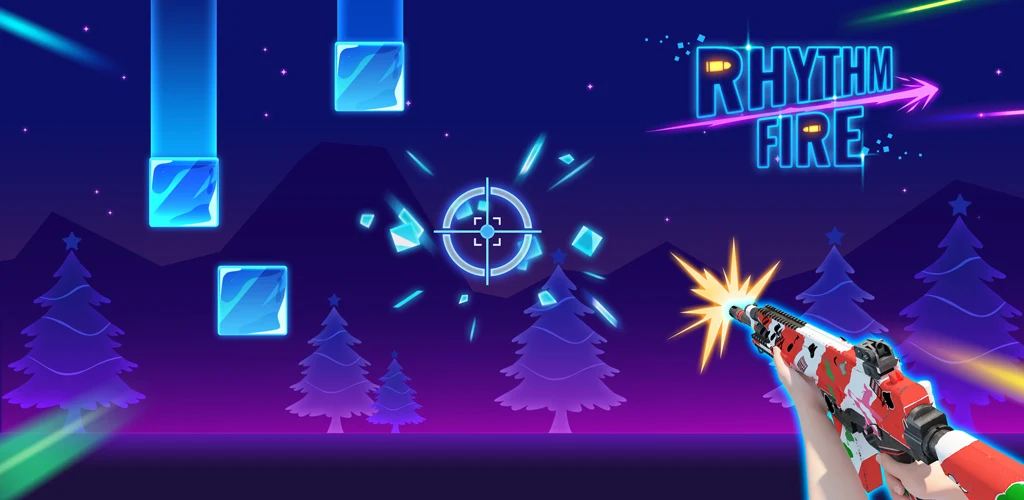
Various guns, unlimited ammo—this’s the idealized aim training you’ve always wanted! Rhythm Fire is a shooting-music game with genres of songs, offering you fantastic gameplay. All you need is to aim and shoot——to the beat. This is not a typical music game, but a combine of rhythm game and shooting game. It will train both your aiming skills and sense of rhythm. Whether you are a cold-blooded aimbot or a potential artist, this game will benefit you as well. All stages are meticulously designed by our professional music creators, with every single note perfectly matching the music. Imagine a master of both guns and piano, that could be you. How to Play: Hold and drag, aim at your target notes Wait for the timing, try to catch the notes As soon as notes get close, your gun will automatically shoot If you miss a note, you will lose 1 life point Enjoy the music, move your finger to the beat Game features: Cool 3D guns featuring a variety of models Neon style UI with fantastic graphics High quality music and accurate gun sounds Manually polished stages Adjustable difficulties If any music producers or labels have a problem with the music and images used in the game, or any players have any advice to help us improve, please feel free to contact us at adaricmusic@gmail.com
游戏精选截图与实机展示
点击截图可放大查看高清原始画质
版本与技术参数规格
版本与渠道变体
同一游戏在各渠道的真实版本与包大小(商店版本 1.011)
资源校验值(SHA-256)
核对下载文件是否与资源提供方一致
123云盘v1.011
SHA-256:3ebd2de6a290…1061b495
校验值来自资源提供方。下载完成后可在本地执行 sha256sum(Windows 用 certutil -hashfile)并与上方完整值比对。
游戏深度介绍 (About this Game)
Various guns, unlimited ammo—this’s the idealized aim training you’ve always wanted!
Rhythm Fire is a shooting-music game with genres of songs, offering you fantastic gameplay. All you need is to aim and shoot——to the beat. This is not a typical music game, but a combine of rhythm game and shooting game. It will train both your aiming skills and sense of rhythm. Whether you are a cold-blooded aimbot or a potential artist, this game will benefit you as well. All stages are meticulously designed by our professional music creators, with every single note perfectly matching the music. Imagine a master of both guns and piano, that could be you.
How to Play:
- Hold and drag, aim at your target notes
- Wait for the timing, try to catch the notes
- As soon as notes get close, your gun will automatically shoot
- If you miss a note, you will lose 1 life point
- Enjoy the music, move your finger to the beat
Game features:
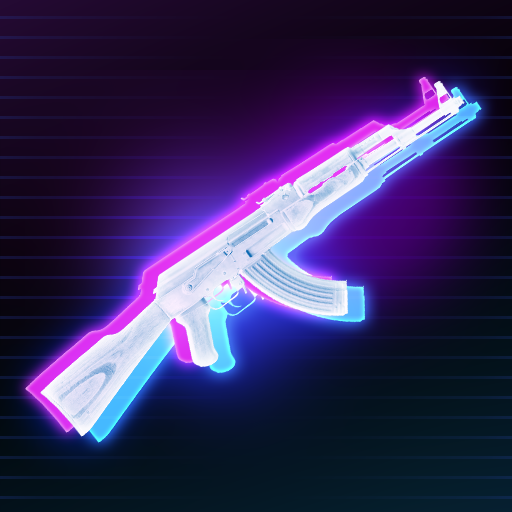
- Cool 3D guns featuring a variety of models
- Neon style UI with fantastic graphics
- High quality music and accurate gun sounds
- Manually polished stages
- Adjustable difficulties
If any music producers or labels have a problem with the music and images used in the game, or any players have any advice to help us improve, please feel free to contact us at adaricmusic@gmail.com
游戏特色
- 提供国际服版本信息
- 当前版本:1.011
- 开发者:Adaric Music
- 游戏标签:音乐
攻略指南与常见问题
新手与进阶问答安装说明
- 1点击页面中的“立即下载”,优先选择更新日期较新的渠道资源。
- 2下载完成后,确认安装包大小与页面展示信息基本一致,再开始安装 Rhythm Fire-EDM Shooting Game。
- 3首次安装第三方 APK 时,请根据设备系统提示授权安装权限。
下载与使用风险提示
- 安装前请核对包名 beatmaker.edm.musicgames.rhythmfire 与目标应用是否一致,避免误装非目标版本。
- 若设备已安装同名旧版本,建议先确认版本兼容性,再决定覆盖安装或重新安装。
- 如下载来源异常或安装后行为异常,请暂停使用并重新核对下载渠道。
如何安装游戏?
ACBOX 是一款支持多种安装包格式的 Android 安装器,通常可用于安装 APK、APKS、XAPK、APKM 等格式。对于 APKS 游戏,ACBOX 可以解析其中的拆分 APK,并根据设备配置进行安装,比直接改后缀或使用普通文件管理器更方便。
什么是APKS格式的游戏?
A:APKS是一种Android应用/游戏的打包格式,本质上是一个ZIP压缩包,里面包含了一个基础APK文件和多个按设备配置拆分的APK(如针对不同CPU架构、屏幕密度、语言等)。它主要用于通过Google Play分发的大型游戏或应用,目的是减小单次下载体积,让设备只下载需要的部分。普通APK是一个“全量包”,而APKS是“拆分包”的集合。
APKS和普通APK有什么区别?
A:普通APK可以直接安装到Android设备;APKS不能直接安装,需要先用工具(如SAI、APKMirror Installer等)解析并安装其中的拆分APK。APKS通常包含多个APK文件,安装时由安装器根据设备配置选择合适的分包。简单说:APK是单文件安装包,APKS是多文件拆分安装包。