

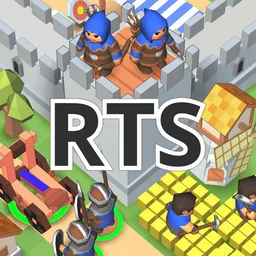
RTS Siege Up! - 中世纪战争
Full-featured old-school fantasy RTS. No boosters. No timers. No pay-to-win. Battles 10-20 min. Campaign of 26 missions, online PvP and PvE. Support for Wi-Fi multiplayer and modding. Open "Community" in order to play online, create own levels or download levels made by other players! Hone your art of war, victory can't be bought! Join our friendly indie community in Discord and socials to find friends and share your ideas with the developer! The game is available on mobile and PC. • Medieval castles with walls of stone and wood! • Build catapults and other warcraft to break the walls! • Archers, melees and cavalry are ready to defend your stronghold. • Naval battles, transport ships and fishing boats • Capture and protect resources and strategic positions This is an indie game in active development. Share your ideas in socials and contact me directly! All links in the main menu. Features: • Campaign of 26 missions with different gameplay mechanics • Multiplayer (Wi-Fi or public servers) with spectator mode, in-game chat, reconnection support, team play with or against bots, sharing units with teammates PvP and PvE maps. Cross-play with PC and other platforms. • In-game library of more then 4000 PvP and PvE missions made by players. Share your levels and promote among the community! • Autosaves and replay recording system (should be enabled in settings) • Level editor allows creating own game modes, campaign missions (with replicas, dialogs, and many triggers bringing experience close to visual scripting) • Walls that are destroyable only with siege equipment and giving bonuses to defenders • Battle and transport ships, fishing boats, building across the map and resource capturing • Full support for portrait orientation on smartphones, different ways to select army, minimap, control groups, autosave system • Cheats as an essential part of any old-school RTS game are also presented in SiegeUp! (can be disabled in settings) • Experimental Pier-To-Pier game via internet, proved to work on iOS (see guide on official wiki) • Experimental cross-platform modding support (see sources in official repo) Defend and siege strongholds in the world of middle age empires and medieval warcraft! Give commands to each unit or whole army with convenient control. Collect resources and evolve economy in real time. Don't worry about loosing progress with a autosaving system. Play portrait or vertical orientation. Build anywhere across the map and train melee, archers or cavalry without artificial timers. At the initial stages of the game, you need to build an effective economy. Resources should be enough to build a planned army. Do not forget about protection. Build one or two towers at the beginning of the game. During the attack, the army needs reinforcements. Barracks allow you to set a gathering point for warriors.
游戏精选截图与实机展示
点击截图可放大查看高清原始画质
版本与技术参数规格
最新更新 (What's New)
游戏深度介绍 (About this Game)
Open "Community" in order to play online, create own levels or download levels made by other players! Hone your art of war, victory can't be bought!
Join our friendly indie community in Discord and socials to find friends and share your ideas with the developer! The game is available on mobile and PC.
• Medieval castles with walls of stone and wood!
• Build catapults and other warcraft to break the walls!
• Archers, melees and cavalry are ready to defend your stronghold.
• Naval battles, transport ships and fishing boats
• Capture and protect resources and strategic positions
This is an indie game in active development. Share your ideas in socials and contact me directly! All links in the main menu.
Features:
• Campaign of 26 missions with different gameplay mechanics
• Multiplayer (Wi-Fi or public servers) with spectator mode, in-game chat, reconnection support, team play with or against bots, sharing units with teammates PvP and PvE maps. Cross-play with PC and other platforms.
• In-game library of more then 4000 PvP and PvE missions made by players. Share your levels and promote among the community!
• Autosaves and replay recording system (should be enabled in settings)
• Level editor allows creating own game modes, campaign missions (with replicas, dialogs, and many triggers bringing experience close to visual scripting)
• Walls that are destroyable only with siege equipment and giving bonuses to defenders
• Battle and transport ships, fishing boats, building across the map and resource capturing
• Full support for portrait orientation on smartphones, different ways to select army, minimap, control groups, autosave system
• Cheats as an essential part of any old-school RTS game are also presented in SiegeUp! (can be disabled in settings)
• Experimental Pier-To-Pier game via internet, proved to work on iOS (see guide on official wiki)
• Experimental cross-platform modding support (see sources in official repo)
Defend and siege strongholds in the world of middle age empires and medieval warcraft!
Give commands to each unit or whole army with convenient control.
Collect resources and evolve economy in real time. Don't worry about loosing progress with a autosaving system. Play portrait or vertical orientation.
Build anywhere across the map and train melee, archers or cavalry without artificial timers.
At the initial stages of the game, you need to build an effective economy. Resources should be enough to build a planned army. Do not forget about protection. Build one or two towers at the beginning of the game.
During the attack, the army needs reinforcements. Barracks allow you to set a gathering point for warriors.
游戏特色
- 提供国际服版本信息
- 当前版本:1.4.0r1
- 开发者:ABUKSIGUN
- 游戏标签:策略
攻略指南与常见问题
新手与进阶问答安装说明
- 1点击页面中的“立即下载”,优先选择更新日期较新的渠道资源。
- 2下载完成后,确认安装包大小与页面展示信息基本一致,再开始安装 RTS Siege Up! - 中世纪战争。
- 3首次安装第三方 APK 时,请根据设备系统提示授权安装权限。
下载与使用风险提示
- 安装前请核对包名 com.abuksigun.rpg_prototype 与目标应用是否一致,避免误装非目标版本。
- 若设备已安装同名旧版本,建议先确认版本兼容性,再决定覆盖安装或重新安装。
- 如下载来源异常或安装后行为异常,请暂停使用并重新核对下载渠道。
如何安装游戏?
ACBOX 是一款支持多种安装包格式的 Android 安装器,通常可用于安装 APK、APKS、XAPK、APKM 等格式。对于 APKS 游戏,ACBOX 可以解析其中的拆分 APK,并根据设备配置进行安装,比直接改后缀或使用普通文件管理器更方便。
什么是APKS格式的游戏?
A:APKS是一种Android应用/游戏的打包格式,本质上是一个ZIP压缩包,里面包含了一个基础APK文件和多个按设备配置拆分的APK(如针对不同CPU架构、屏幕密度、语言等)。它主要用于通过Google Play分发的大型游戏或应用,目的是减小单次下载体积,让设备只下载需要的部分。普通APK是一个“全量包”,而APKS是“拆分包”的集合。
APKS和普通APK有什么区别?
A:普通APK可以直接安装到Android设备;APKS不能直接安装,需要先用工具(如SAI、APKMirror Installer等)解析并安装其中的拆分APK。APKS通常包含多个APK文件,安装时由安装器根据设备配置选择合适的分包。简单说:APK是单文件安装包,APKS是多文件拆分安装包。
社区动态与玩家讨论
参与 RTS Siege Up! - 中世纪战争 专区讨论,结识同服战友