
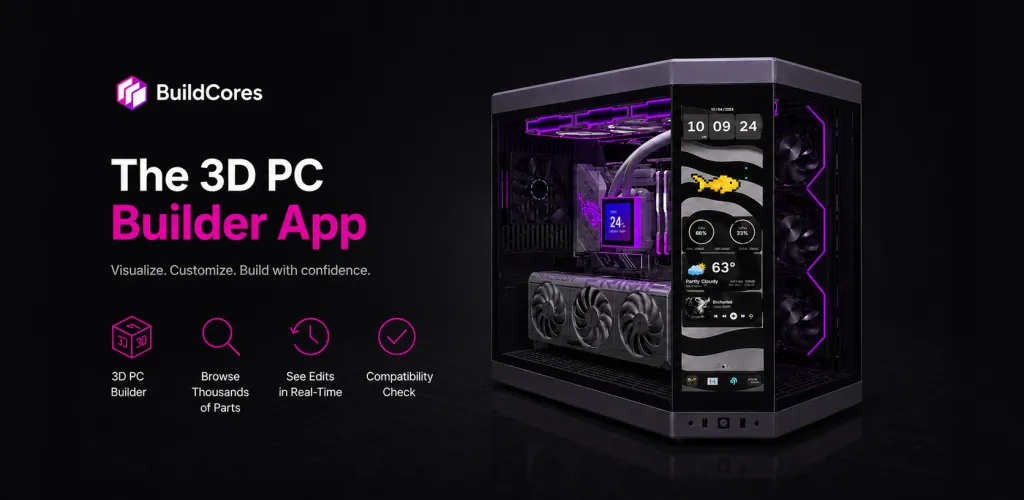

BuildCores: 3D Part Picker PC
BuildCores is the next-generation PC Builder and Part Picker. We combine a powerful component database with revolutionary full 3D viewing, giving you the ultimate PC building experience right on your phone. See a simulation of your real-life PC before you build it. 🖥️ FULL 3D PC BUILDER SIMULATOR See Your Build Come to Life: Don't just pick parts, assemble them! We're the only PC Parts Picker that lets you see your components in a fully interactive 3D space. Check Fit & Aesthetics: Rotate, zoom, and inspect your build from every angle to ensure everything looks and fits exactly how you want it to. ⚙️ INTELLIGENT COMPATIBILITY ENGINE Build with Absolute Confidence: Our core mission is perfect compatibility. BuildCores automatically cross-references every part you select—from CPU and motherboard sockets to RAM clearance and PSU wattage—to prevent any issues. Eliminate Guesswork: Stop worrying about returns and headaches. Our system acts as your expert guide, ensuring every part works together flawlessly. 💰 GLOBAL PRICE COMPARISON & LIVE SALES FEED Find the Lowest Price, Guaranteed: Compare real-time prices for every component across top retailers like Amazon, Newegg, and Best Buy. Regional Price Tracking: Our price comparison isn't limited to one country. Find the absolute best deal by checking prices across different regions. Never Miss a Deal: The dedicated Sales Feed is your secret weapon, alerting you to the latest discounts and price drops on the parts you need, saving you money automatically. 👤 POWERFUL ACCOUNTS & BUILD MANAGEMENT Your Builds, Synced Everywhere: Create a free BuildCores account to save, edit, and manage unlimited custom PC builds. Seamless & Organized: Start a build on the go and access it anytime. Your personalized part lists and dream machines are always just a tap away. KEY FEATURES FOR EVERY PC BUILDER: Massive Component Database: An ever-expanding library of CPUs, GPUs, motherboards, RAM, SSDs, and more, with specs and pricing updated hourly. Performance Estimator: Get FPS estimates to see how your build will perform in popular games. Easy Sharing: Export your build list in a Reddit-friendly table or simple text to share with communities like /r/buildapc for feedback.
游戏精选截图与实机展示
点击截图可放大查看高清原始画质
版本与技术参数规格
版本与渠道变体
同一游戏在各渠道的真实版本与包大小
资源校验值(SHA-256)
核对下载文件是否与资源提供方一致
123云盘v2026.4.0
SHA-256:3b2bd50bb7cf…5087c8d5
校验值来自资源提供方。下载完成后可在本地执行 sha256sum(Windows 用 certutil -hashfile)并与上方完整值比对。
最新更新 (What's New)
游戏深度介绍 (About this Game)
🖥️ FULL 3D PC BUILDER SIMULATOR
See Your Build Come to Life: Don't just pick parts, assemble them! We're the only PC Parts Picker that lets you see your components in a fully interactive 3D space.
Check Fit & Aesthetics: Rotate, zoom, and inspect your build from every angle to ensure everything looks and fits exactly how you want it to.
⚙️ INTELLIGENT COMPATIBILITY ENGINE
Build with Absolute Confidence: Our core mission is perfect compatibility. BuildCores automatically cross-references every part you select—from CPU and motherboard sockets to RAM clearance and PSU wattage—to prevent any issues.
Eliminate Guesswork: Stop worrying about returns and headaches. Our system acts as your expert guide, ensuring every part works together flawlessly.
💰 GLOBAL PRICE COMPARISON & LIVE SALES FEED
Find the Lowest Price, Guaranteed: Compare real-time prices for every component across top retailers like Amazon, Newegg, and Best Buy.
Regional Price Tracking: Our price comparison isn't limited to one country. Find the absolute best deal by checking prices across different regions.
Never Miss a Deal: The dedicated Sales Feed is your secret weapon, alerting you to the latest discounts and price drops on the parts you need, saving you money automatically.
👤 POWERFUL ACCOUNTS & BUILD MANAGEMENT
Your Builds, Synced Everywhere: Create a free BuildCores account to save, edit, and manage unlimited custom PC builds.
Seamless & Organized: Start a build on the go and access it anytime. Your personalized part lists and dream machines are always just a tap away.
KEY FEATURES FOR EVERY PC BUILDER:
Massive Component Database: An ever-expanding library of CPUs, GPUs, motherboards, RAM, SSDs, and more, with specs and pricing updated hourly.
Performance Estimator: Get FPS estimates to see how your build will perform in popular games.
Easy Sharing: Export your build list in a Reddit-friendly table or simple text to share with communities like /r/buildapc for feedback.
游戏特色
- 包含建造与基地升级玩法
- 经营与资源管理是核心玩法
- 射击对战与战术配合
攻略指南与常见问题
新手与进阶问答安装说明
- 1点击页面中的“立即下载”,优先选择更新日期较新的渠道资源。
- 2下载完成后,确认安装包大小与页面展示信息基本一致,再开始安装 BuildCores: 3D Part Picker PC。
- 3首次安装第三方 APK 时,请根据设备系统提示授权安装权限。
下载与使用风险提示
- 安装前请核对包名 com.buildcores.buildcores 与目标应用是否一致,避免误装非目标版本。
- 若设备已安装同名旧版本,建议先确认版本兼容性,再决定覆盖安装或重新安装。
- 如下载来源异常或安装后行为异常,请暂停使用并重新核对下载渠道。
如何安装游戏?
ACBOX 是一款支持多种安装包格式的 Android 安装器,通常可用于安装 APK、APKS、XAPK、APKM 等格式。对于 APKS 游戏,ACBOX 可以解析其中的拆分 APK,并根据设备配置进行安装,比直接改后缀或使用普通文件管理器更方便。
什么是APKS格式的游戏?
A:APKS是一种Android应用/游戏的打包格式,本质上是一个ZIP压缩包,里面包含了一个基础APK文件和多个按设备配置拆分的APK(如针对不同CPU架构、屏幕密度、语言等)。它主要用于通过Google Play分发的大型游戏或应用,目的是减小单次下载体积,让设备只下载需要的部分。普通APK是一个“全量包”,而APKS是“拆分包”的集合。
APKS和普通APK有什么区别?
A:普通APK可以直接安装到Android设备;APKS不能直接安装,需要先用工具(如SAI、APKMirror Installer等)解析并安装其中的拆分APK。APKS通常包含多个APK文件,安装时由安装器根据设备配置选择合适的分包。简单说:APK是单文件安装包,APKS是多文件拆分安装包。