

DroidDeck
### Features - Added **SteamVR on Meta Quest 3 and 3S** from the standard APK. Quest headsets are detected automatically and get their own driver defaults. Immersive SteamVR runs through a native OpenXR activity with headset tracking, Touch controllers and haptics, and SteamVR's dashboard and Steam library work in VR. (@xXJSONDeruloXx, @Jagger15, [#642](https://github.com/Droid-Deck/DroidDeck/pull/642), [#910](https://github.com/Droid-Deck/DroidDeck/pull/910), [#733](https://github.com/Droid-Deck/DroidDeck/pull/733), [#853](https://github.com/Droid-Deck/DroidDeck/pull/853), [#905](https://github.com/Droid-Deck/DroidDeck/pull/905)) Flat games on Quest with hand tracking - Added experimental **Meta Quest 2** support. (@Jagger15, [#676](https://github.com/Droid-Deck/DroidDeck/pull/676)) - Added **XR glasses support for VITURE, RayNeo and XREAL**. Games play straight on the glasses at their own refresh rate while the phone becomes the controller, and the glasses' refresh rate, 3D mode, brightness, volume and sunblock can be changed from the app or the session menu. **Play SteamVR** appears beside Play Steam when supported glasses are connected, with head tracking from the glasses. Joy-Cons work as SteamVR hands, and the phone's camera can track bare hands with Quest-style pinch gestures. Supports VITURE Pro XR, RayNeo Air and GT glasses, and XREAL 1S (experimental). Glasses with head tracking can also show a **head-tracked virtual screen** everywhere in DroidDeck, in its menus, desktop sessions and games, without starting SteamVR, set up from the new **Setup → Smart glasses** page. (@maxjivi05, @informalTechCode, [#732](https://github.com/Droid-Deck/DroidDeck/pull/732), [#907](https://github.com/Droid-Deck/DroidDeck/pull/907), [#1035](https://github.com/Droid-Deck/DroidDeck/pull/1035)) On the glasses, and gamepad hands in SteamVR - Added **Cardboard VR mode** with Valve's ARM64 SteamVR, splitting the screen into two lens-corrected eyes with head tracking. Windows VR games such as Thumper and The Thrill of the Fight run through Proton. SteamVR and Cardboard share one **VR** tab in the session menu. (@xXJSONDeruloXx, [#704](https://github.com/Droid-Deck/DroidDeck/pull/704), [#959](https://github.com/Droid-Deck/DroidDeck/pull/959)) - Added **Epic Games Launcher for Linux**, Epic's own client, running under FEX and signed in automatically with your linked Epic account. Every Epic game now starts through Steam and the launcher, so games get the same sign-in and online services as on a PC, along with Steam Input and the performance overlay. The launcher can be driven with a gamepad or touch. Games installed from inside the launcher appear in the Games tab automatically, and your Steam games can be started from the launcher's library. (@maxjivi05, [#928](https://github.com/Droid-Deck/DroidDeck/pull/928)) Gamepad navigation and launching through Steam - Added an optional **x86-64 Steam client**: Valve's own Linux client, running under FEX beside the default ARM64 one. Choose it under **Steam client** in Steam settings; it applies at the next session. It has its own game library and shares your sign-in. Games with a Linux version, such as Team Fortress 2 and Half-Life, run their Linux builds on it, and Windows games use DroidDeck-Proton as before. New FEX builds reach it without an app update. (@The412Banner, [#152](https://github.com/Droid-Deck/DroidDeck/pull/152), [#1050](https://github.com/Droid-Deck/DroidDeck/pull/1050), [#1053](https://github.com/Droid-Deck/DroidDeck/pull/1053)) - **Linux games run under FEX out of the box.** Proton Experimental ARM64, FEX and the Steam Linux Runtimes now download on the first Steam start instead of waiting as pending downloads. x86 Linux games start, keep running and take the controller under FEX, including Unity games, which used to crash or ignore the gamepad. Games that also have a Windows version stay on Proton by default, because the Windows build often runs better. To run a game's Linux build instead, choose **Linux x86 (FEX)** in its compatibility settings. (@maxjivi05, [#1045](https://github.com/Droid-Deck/DroidDeck/pull/1045)) - Store game pages now show **HowLongToBeat times, Metacritic scores**, developer, publisher and release date for GOG and Epic games, along with an **achievements** card with filters for unlocked, locked and hidden achievements. (@phobos665, @xXJSONDeruloXx, [#641](https://githu
游戏精选截图与实机展示
点击截图可放大查看高清原始画质
版本与技术参数规格
最新更新 (What's New)
游戏深度介绍 (About this Game)

Features
- Added SteamVR on Meta Quest 3 and 3S from the standard APK. Quest headsets are detected automatically and get their own driver defaults. Immersive SteamVR runs through a native OpenXR activity with headset tracking, Touch controllers and haptics, and SteamVR's dashboard and Steam library work in VR. (@xXJSONDeruloXx, @Jagger15, #642, #910, #733, #853, #905)
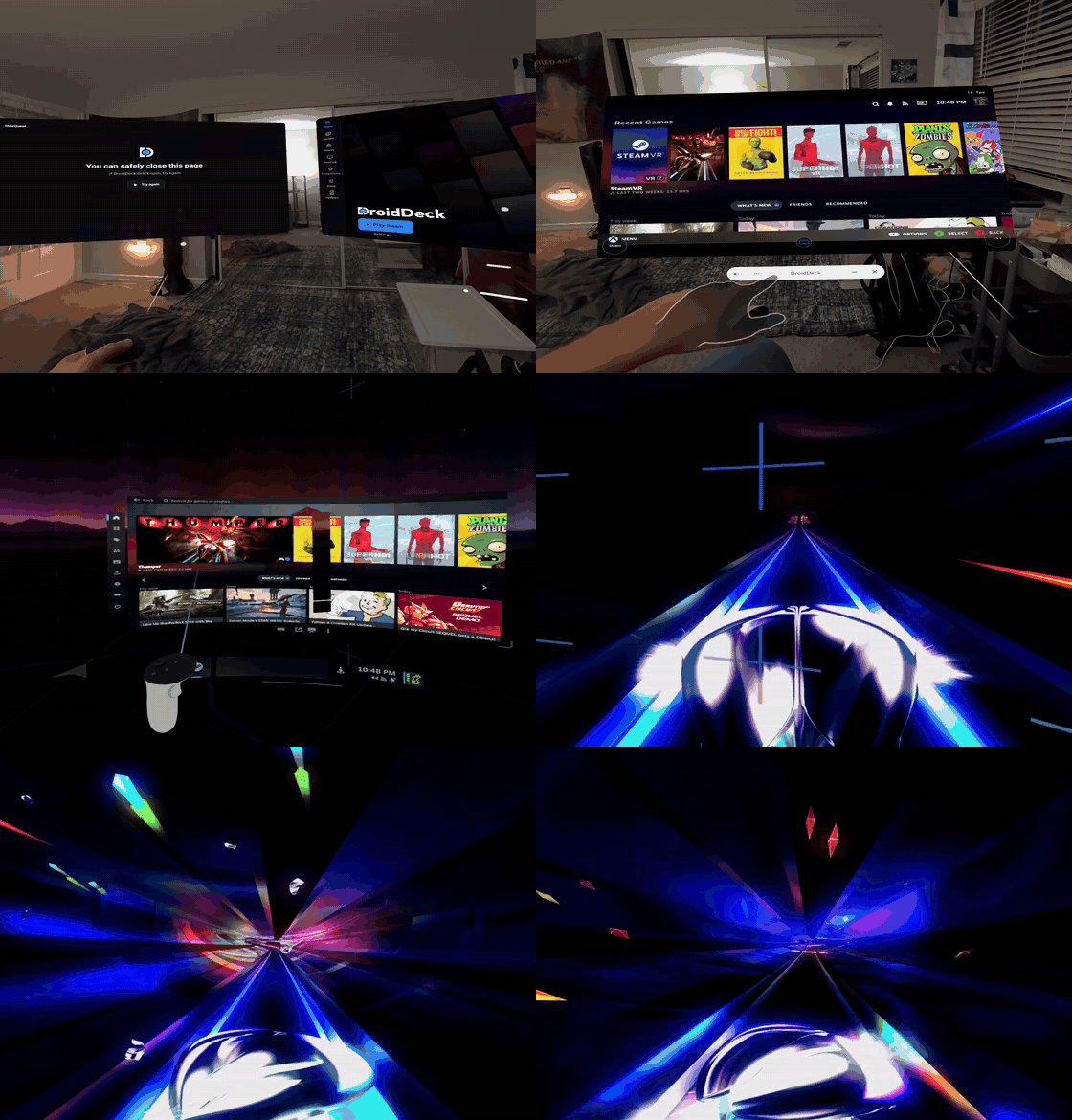
Flat games on Quest with hand tracking
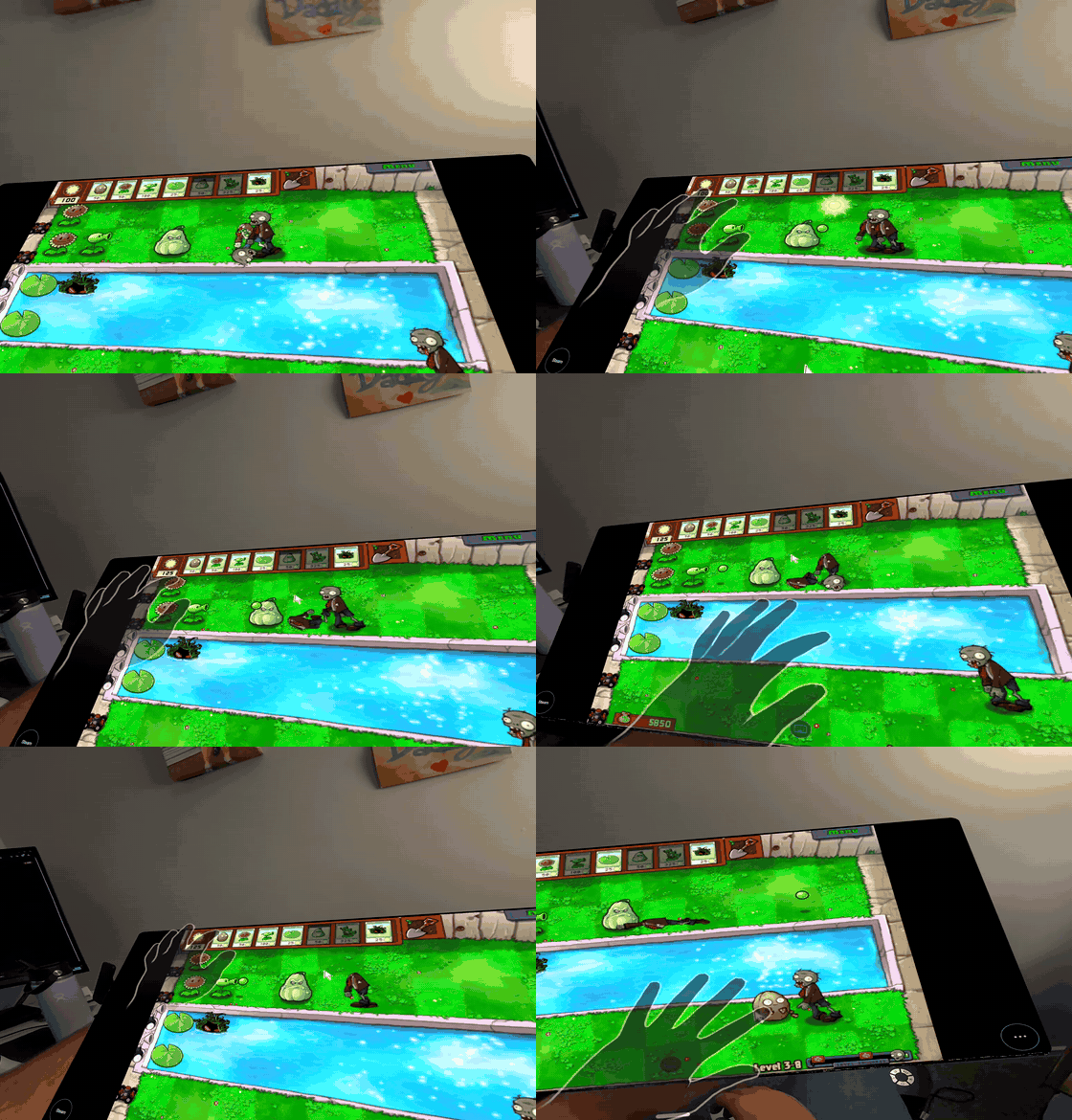
- Added experimental Meta Quest 2 support. (@Jagger15, #676)
- Added XR glasses support for VITURE, RayNeo and XREAL. Games play straight on the glasses at their own refresh rate while the phone becomes the controller, and the glasses' refresh rate, 3D mode, brightness, volume and sunblock can be changed from the app or the session menu. Play SteamVR appears beside Play Steam when supported glasses are connected, with head tracking from the glasses. Joy-Cons work as SteamVR hands, and the phone's camera can track bare hands with Quest-style pinch gestures. Supports VITURE Pro XR, RayNeo Air and GT glasses, and XREAL 1S (experimental). Glasses with head tracking can also show a head-tracked virtual screen everywhere in DroidDeck, in its menus, desktop sessions and games, without starting SteamVR, set up from the new Setup → Smart glasses page. (@maxjivi05, @informalTechCode, #732, #907, #1035)
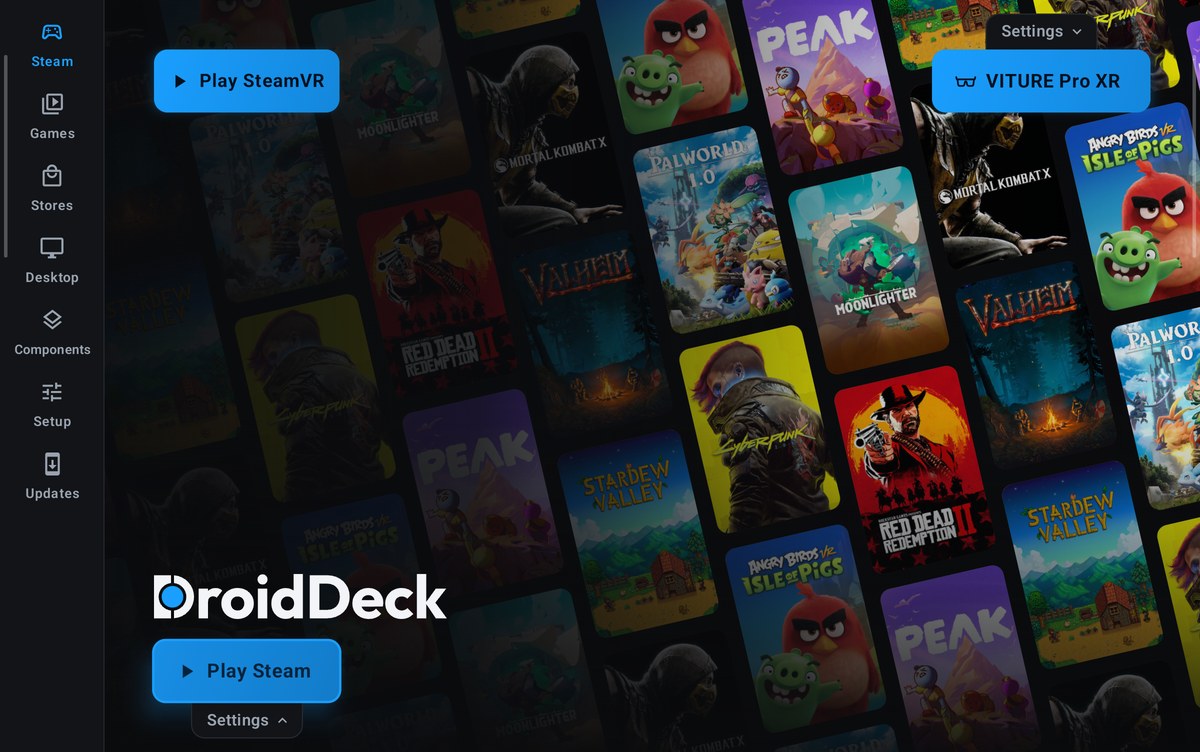
On the glasses, and gamepad hands in SteamVR
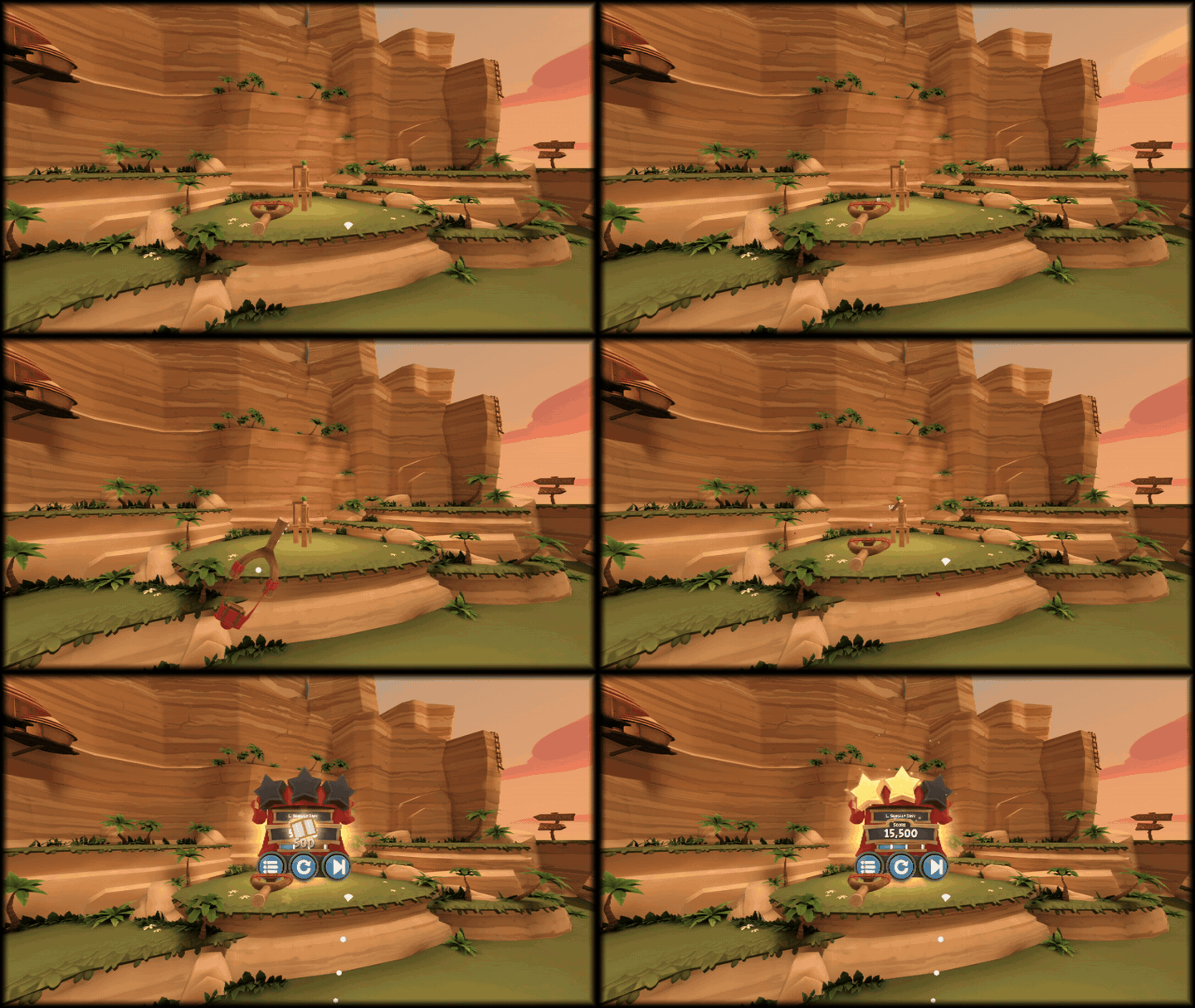
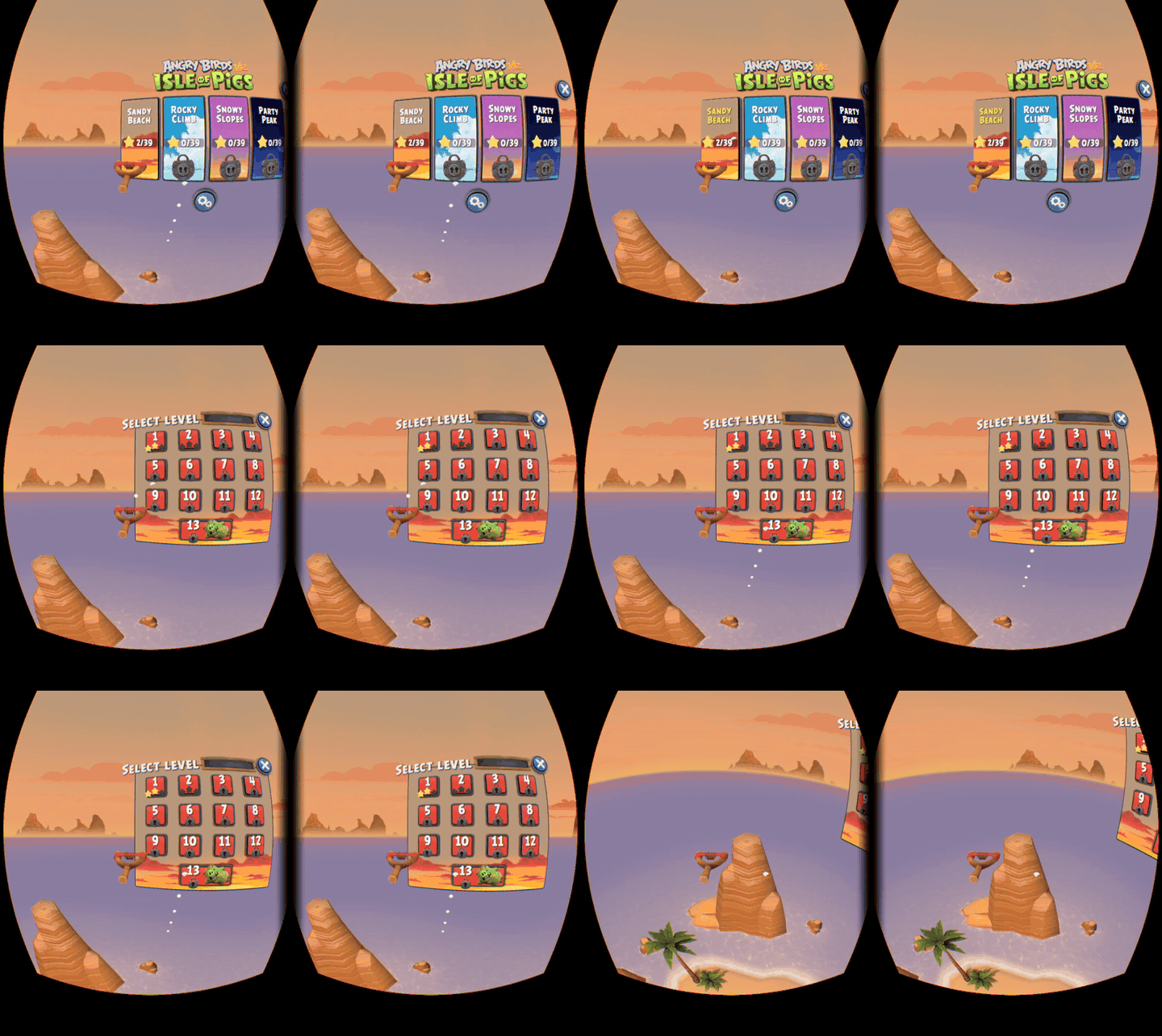
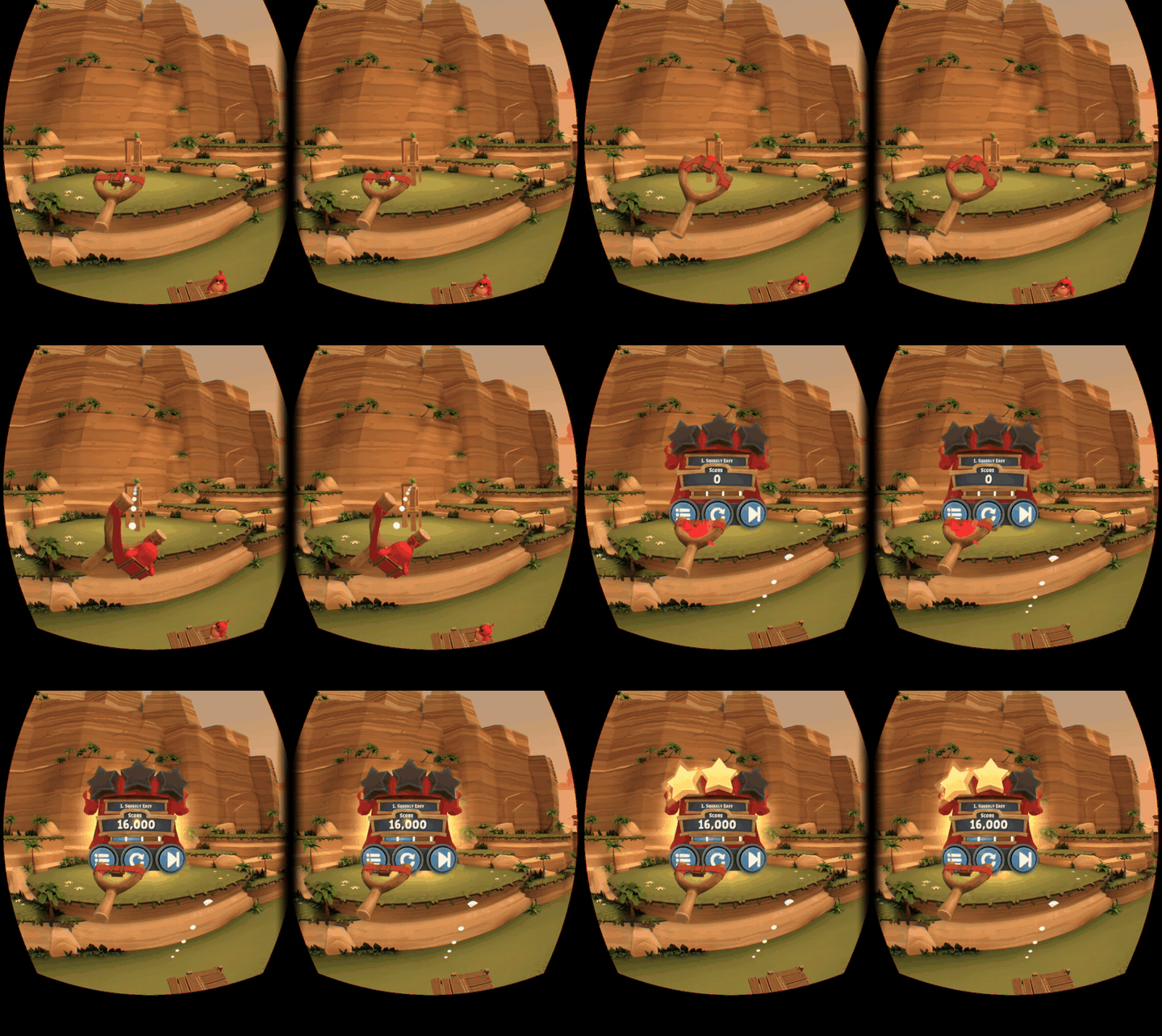
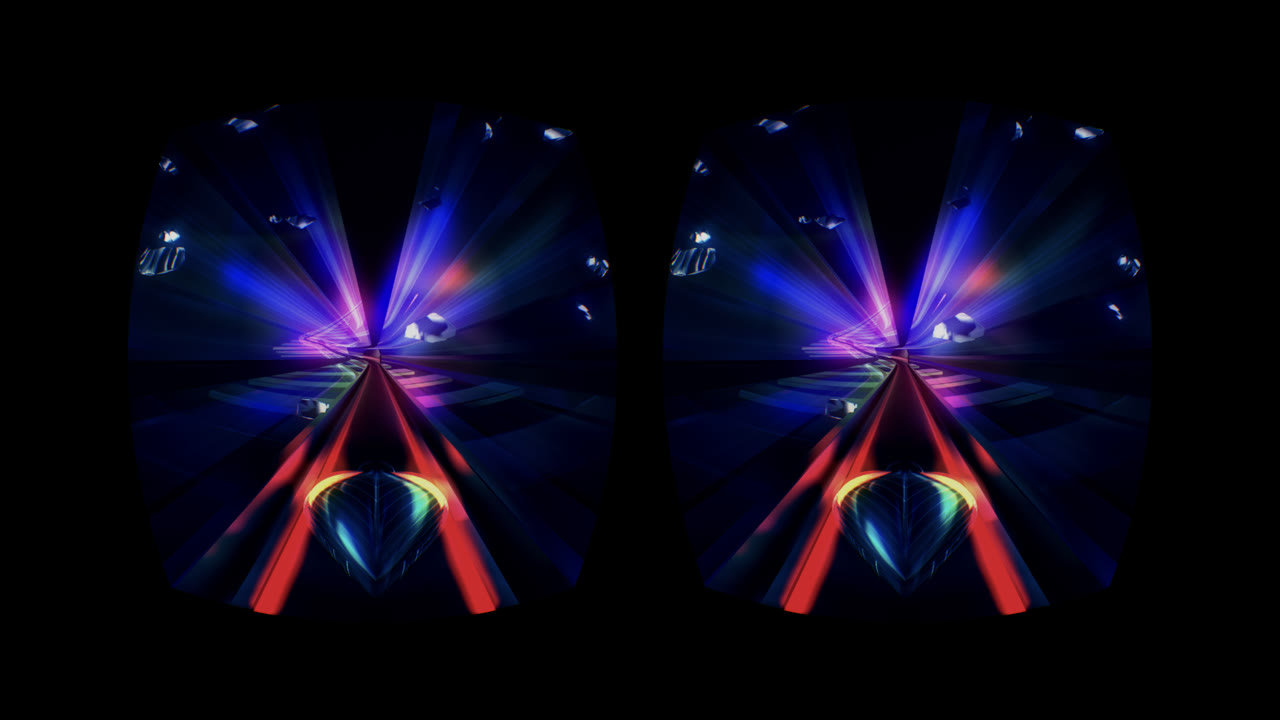
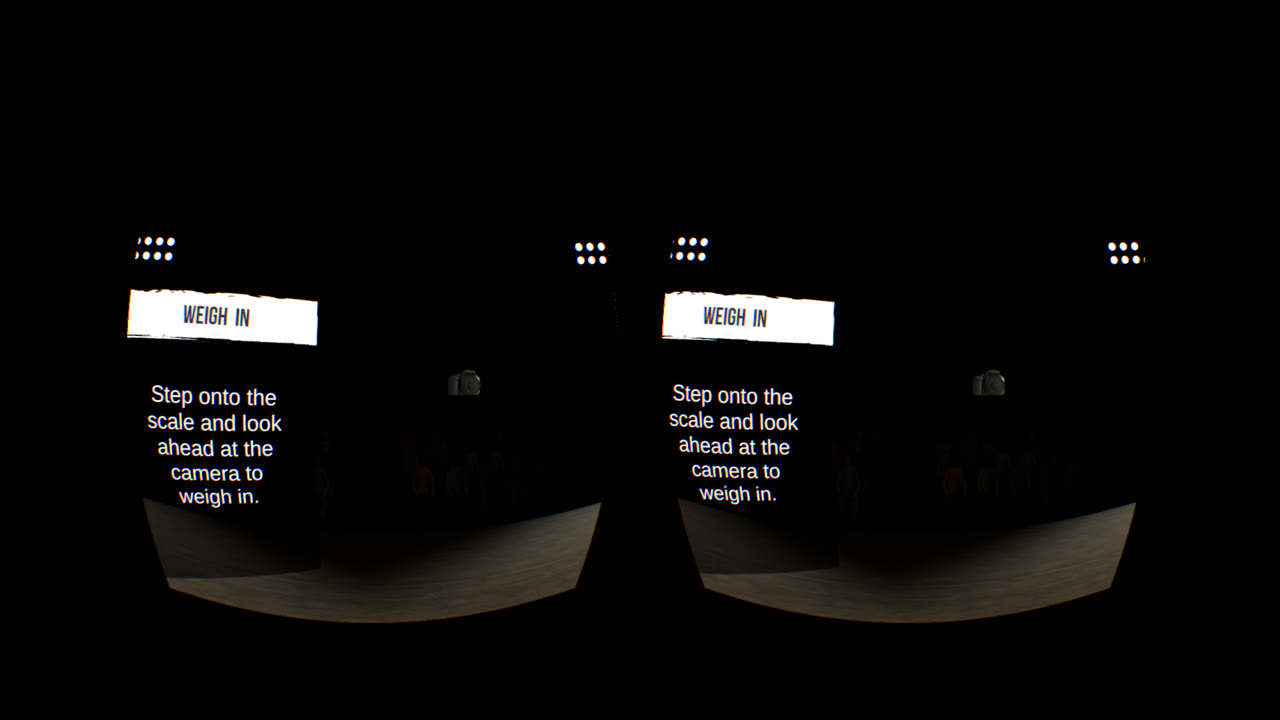
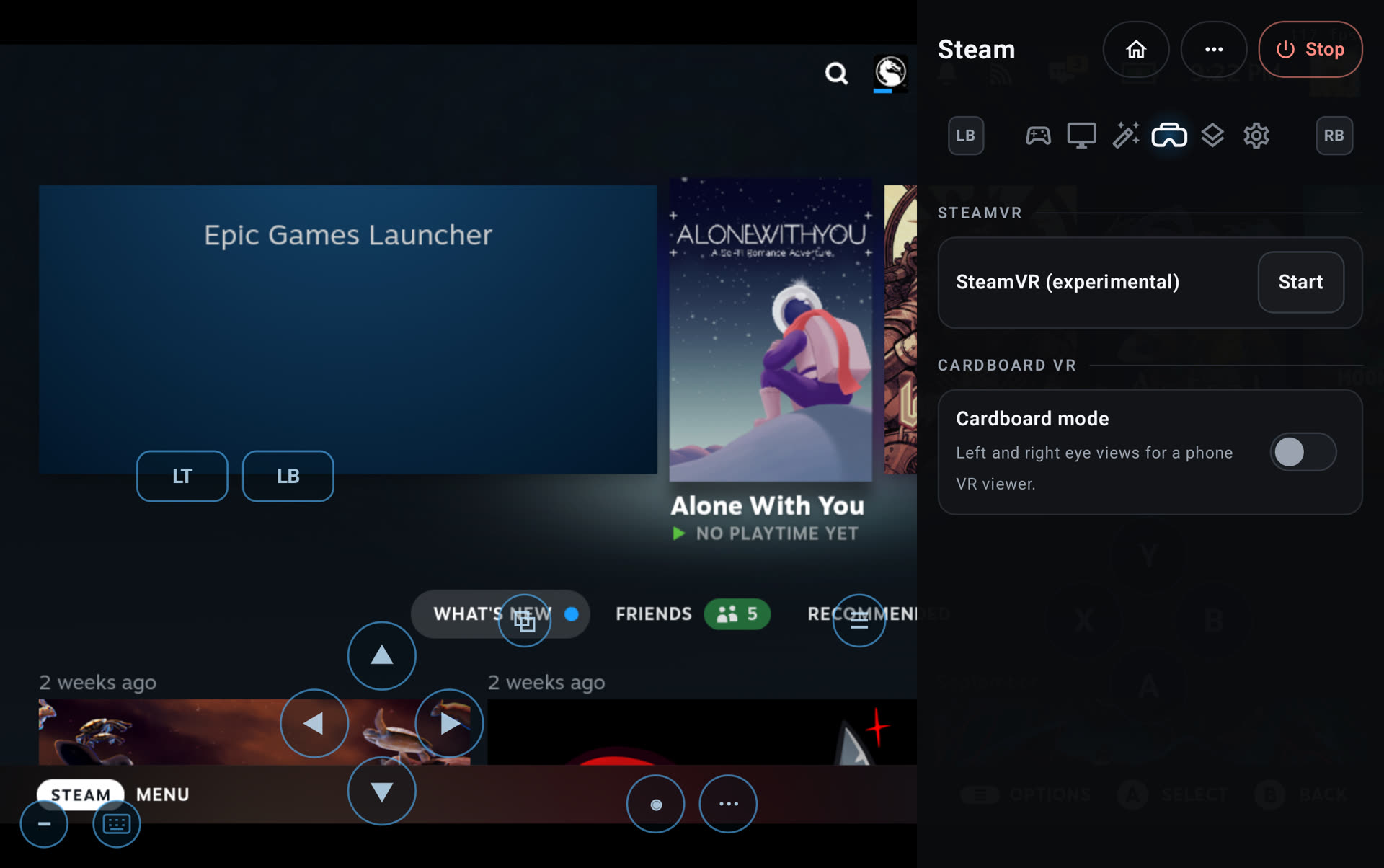
- Added Cardboard VR mode with Valve's ARM64 SteamVR, splitting the screen into two lens-corrected eyes with head tracking. Windows VR games such as Thumper and The Thrill of the Fight run through Proton. SteamVR and Cardboard share one VR tab in the session menu. (@xXJSONDeruloXx, #704, #959)
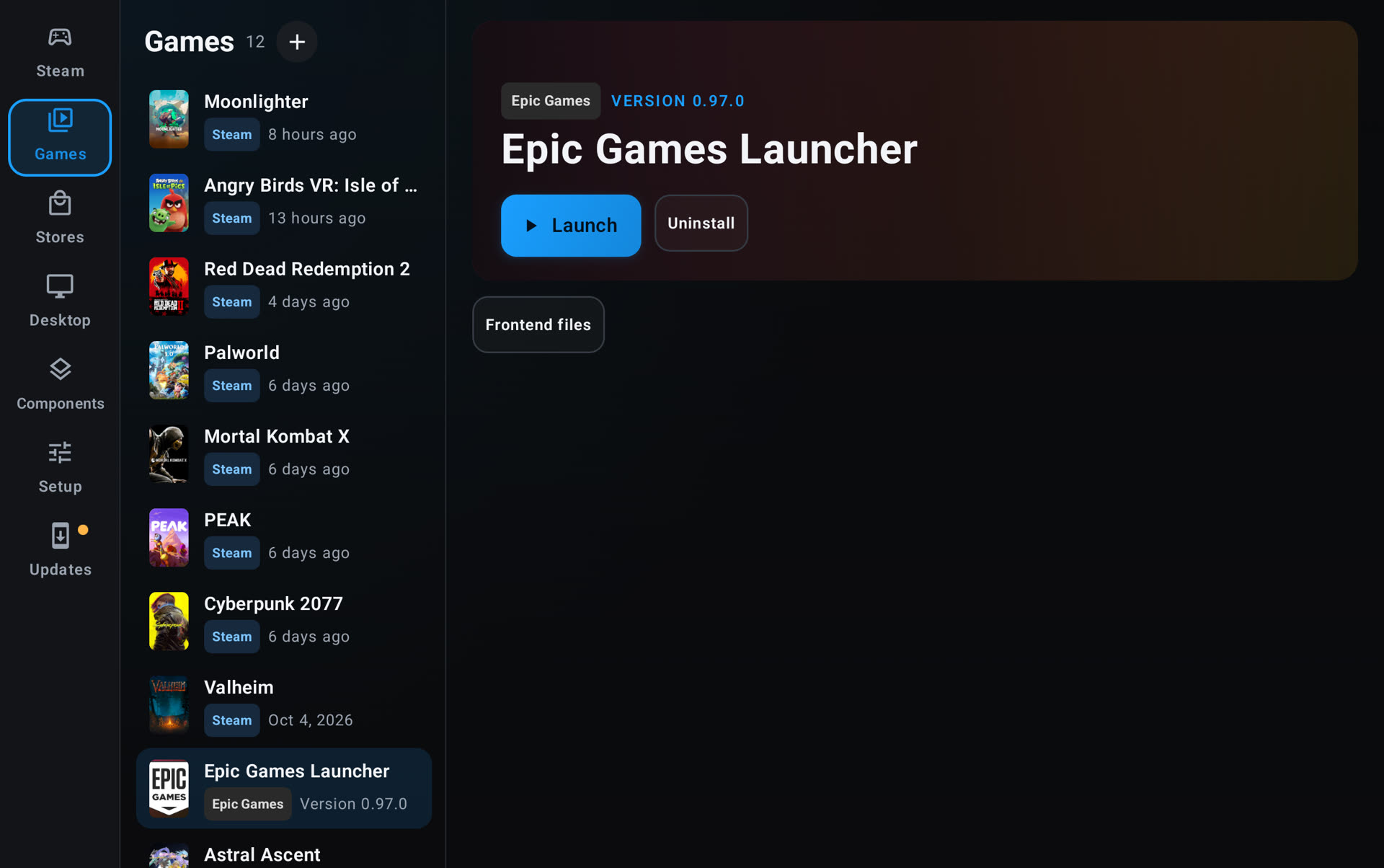
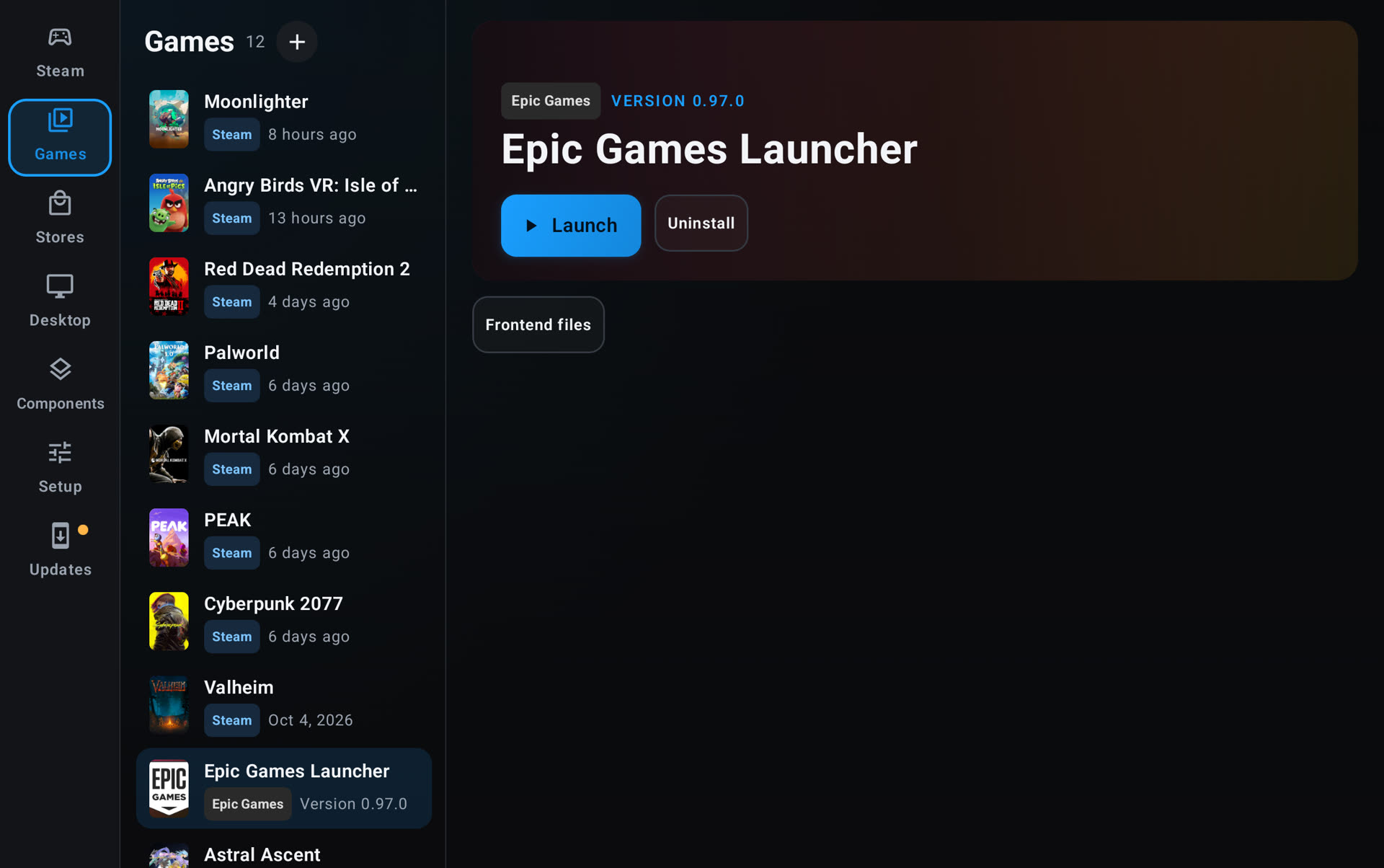
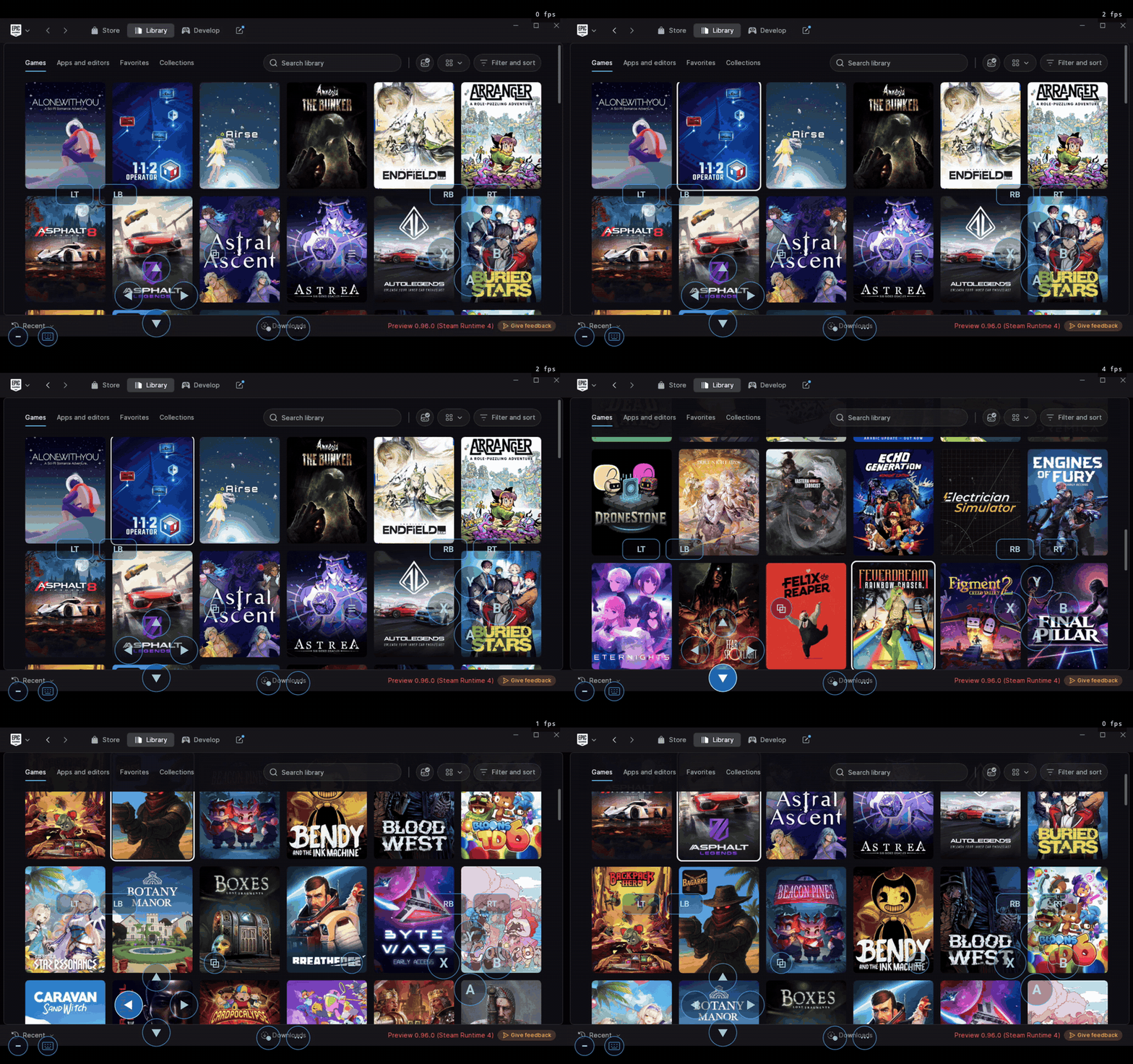
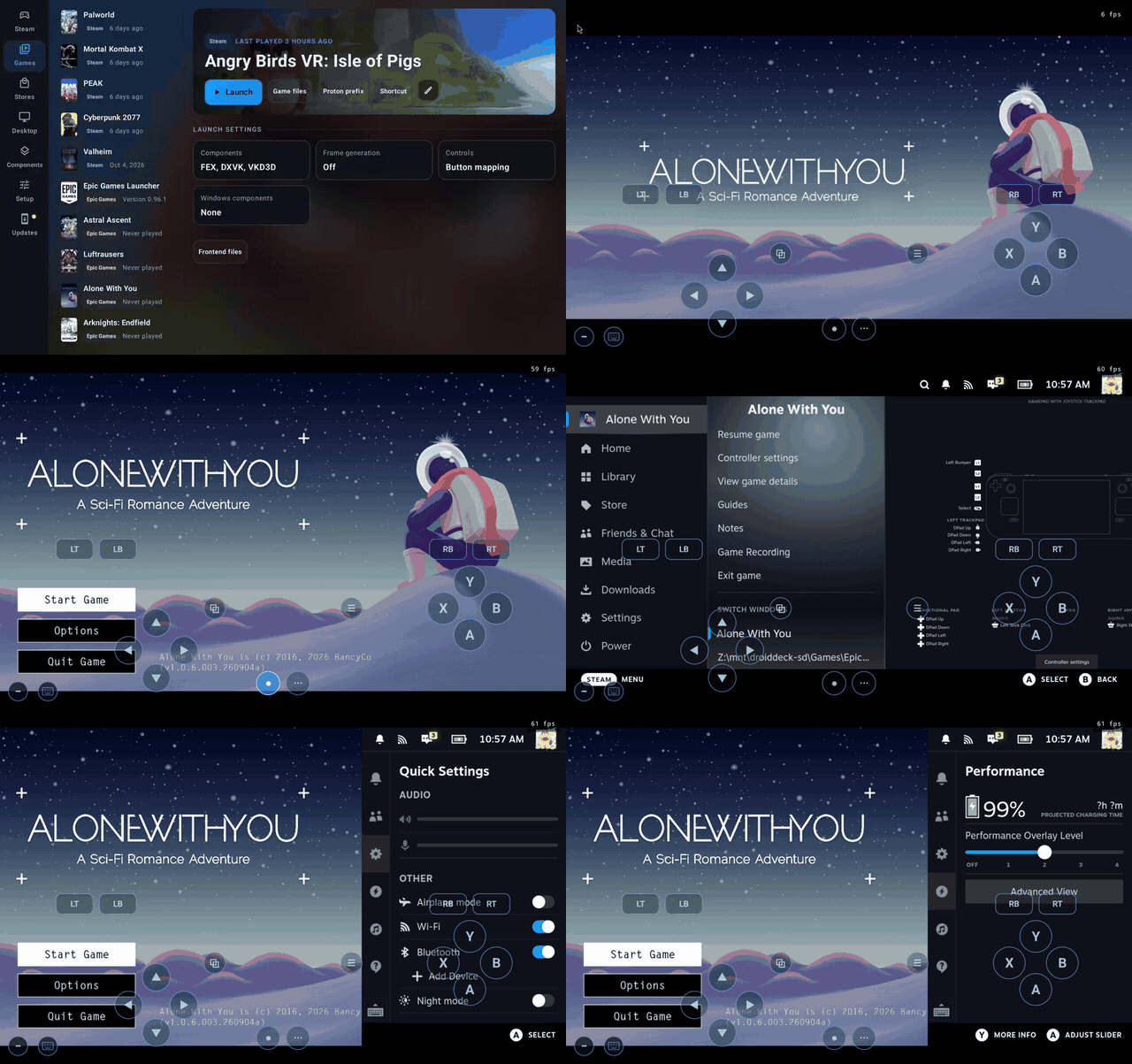
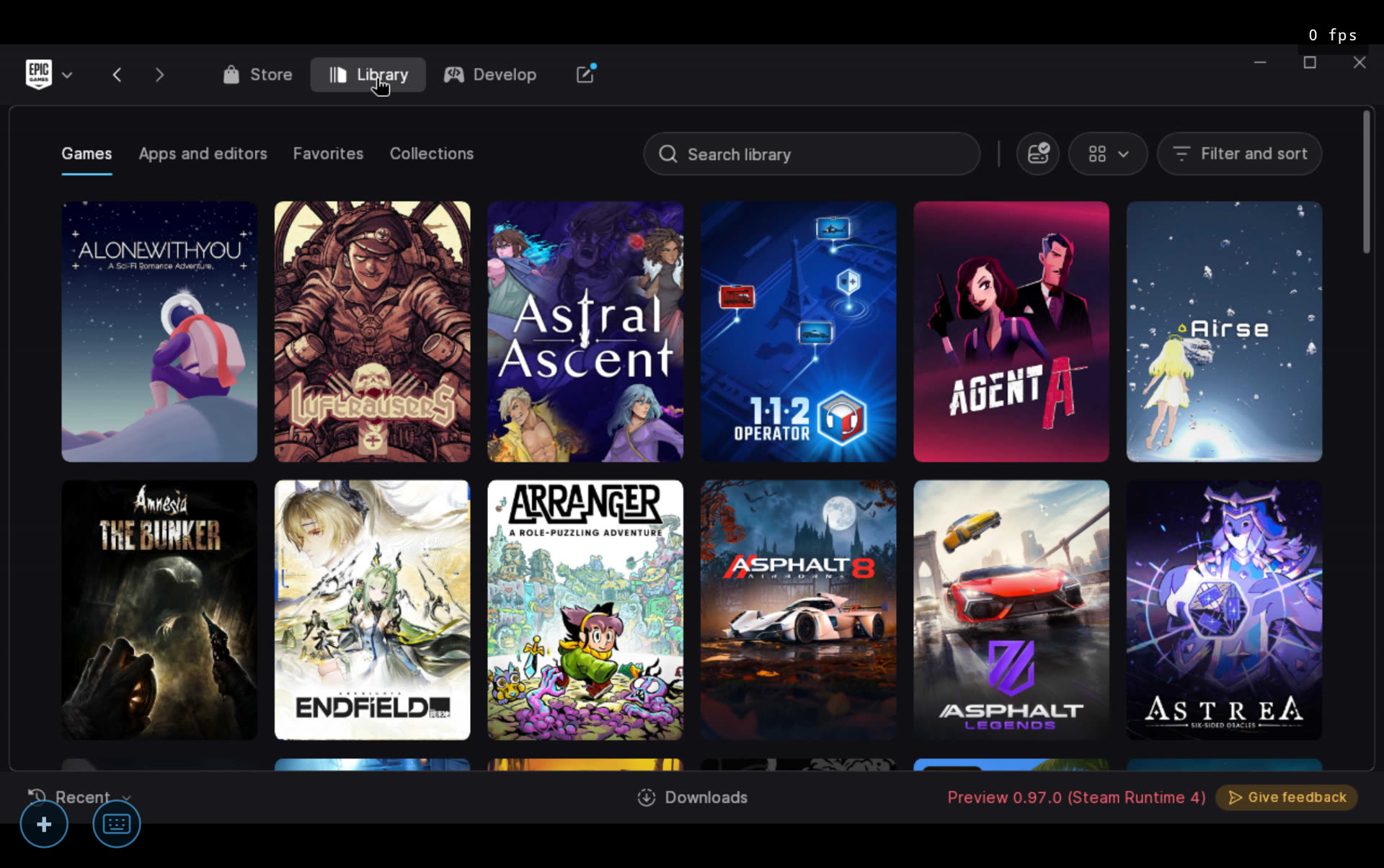
- Added Epic Games Launcher for Linux, Epic's own client, running under FEX and signed in automatically with your linked Epic account. Every Epic game now starts through Steam and the launcher, so games get the same sign-in and online services as on a PC, along with Steam Input and the performance overlay. The launcher can be driven with a gamepad or touch. Games installed from inside the launcher appear in the Games tab automatically, and your Steam games can be started from the launcher's library. (@maxjivi05, #928)
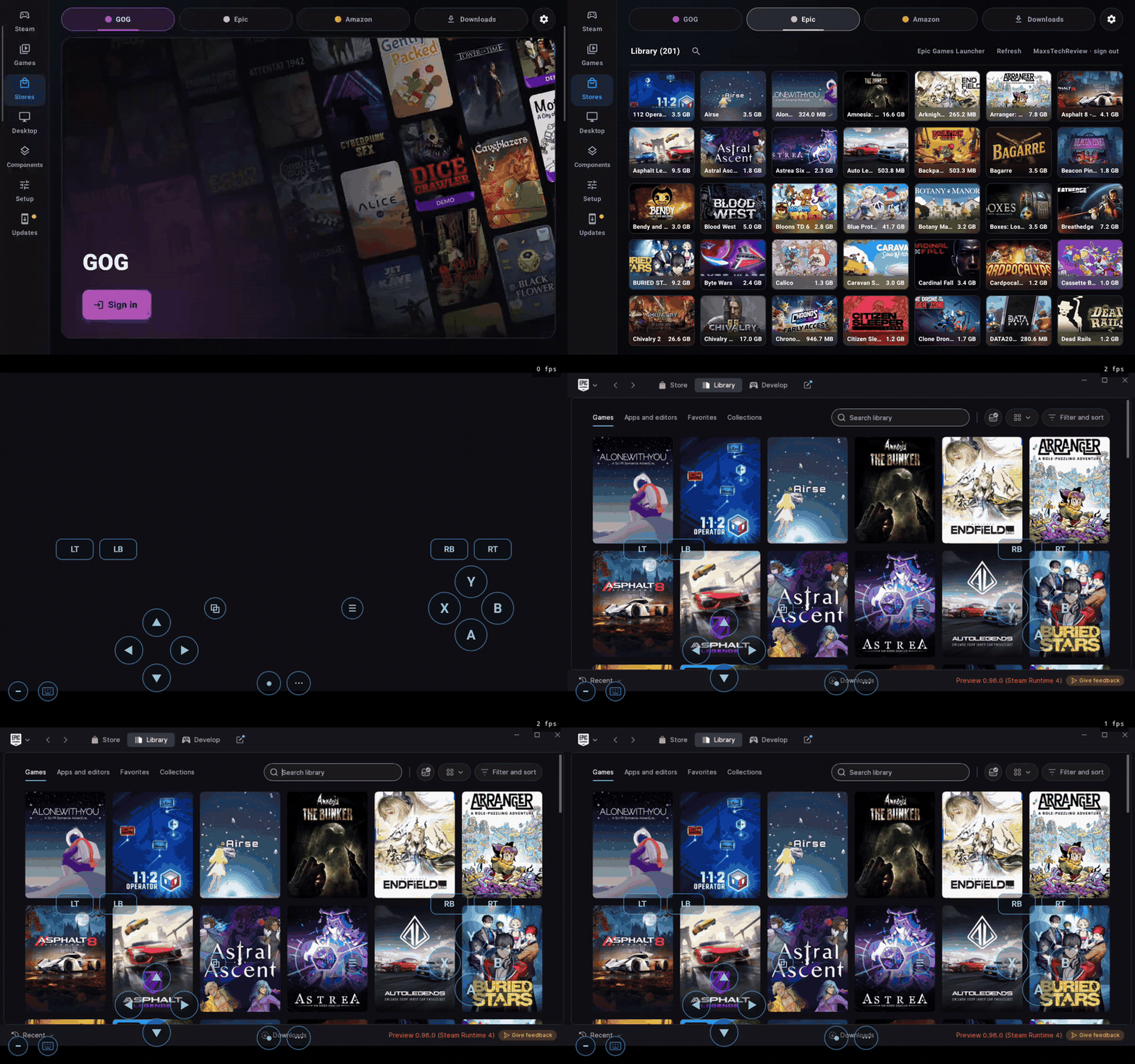
Gamepad navigation and launching through Steam
- Added an optional x86-64 Steam client: Valve's own Linux client, running under FEX beside the default ARM64 one. Choose it under Steam client in Steam settings; it applies at the next session. It has its own game library and shares your sign-in. Games with a Linux version, such as Team Fortress 2 and Half-Life, run their Linux builds on it, and Windows games use DroidDeck-Proton as before. New FEX builds reach it without an app update. (@The412Banner, #152, #1050, #1053)
- Linux games run under FEX out of the box. Proton Experimental ARM64, FEX and the Steam Linux Runtimes now download on the first Steam start instead of waiting as pending downloads. x86 Linux games start, keep running and take the controller under FEX, including Unity games, which used to crash or ignore the gamepad. Games that also have a Windows version stay on Proton by default, because the Windows build often runs better. To run a game's Linux build instead, choose Linux x86 (FEX) in its compatibility settings. (@maxjivi05, #1045)
- Store game pages now show HowLongToBeat times, Metacritic scores, developer, publisher and release date for GOG and Epic games, along with an achievements card with filters for unlocked, locked and hidden achievements. (@phobos665, @xXJSONDeruloXx, [#641](https://githu
游戏特色
- SteamVR 支持 Meta Quest 3 / 3S,标准 APK 直装,Quest 2 实验性支持
- 新增 VITURE、RayNeo、XREAL 等 XR 眼镜直连,手机可变手柄
- Epic Games Launcher for Linux 经 FEX 运行,自动登录已绑定的 Epic 账号
- 可选 x86-64 Steam 客户端,Linux 游戏在 FEX 下开箱即用
- 商店页新增 Metacritic、HowLongToBeat 与成就卡片
攻略指南与常见问题
新手与进阶问答安装说明
- 1点击页面中的“立即下载”,优先选择更新日期较新的渠道资源。
- 2下载完成后,确认安装包大小与页面展示信息基本一致,再开始安装 DroidDeck。
- 3首次安装第三方 APK 时,请根据设备系统提示授权安装权限。
下载与使用风险提示
- 安装前请核对包名 com.droiddeck.launcher 与目标应用是否一致,避免误装非目标版本。
- 若设备已安装同名旧版本,建议先确认版本兼容性,再决定覆盖安装或重新安装。
- 如下载来源异常或安装后行为异常,请暂停使用并重新核对下载渠道。
如何安装游戏?
ACBOX 是一款支持多种安装包格式的 Android 安装器,通常可用于安装 APK、APKS、XAPK、APKM 等格式。对于 APKS 游戏,ACBOX 可以解析其中的拆分 APK,并根据设备配置进行安装,比直接改后缀或使用普通文件管理器更方便。
什么是APKS格式的游戏?
A:APKS是一种Android应用/游戏的打包格式,本质上是一个ZIP压缩包,里面包含了一个基础APK文件和多个按设备配置拆分的APK(如针对不同CPU架构、屏幕密度、语言等)。它主要用于通过Google Play分发的大型游戏或应用,目的是减小单次下载体积,让设备只下载需要的部分。普通APK是一个“全量包”,而APKS是“拆分包”的集合。
APKS和普通APK有什么区别?
A:普通APK可以直接安装到Android设备;APKS不能直接安装,需要先用工具(如SAI、APKMirror Installer等)解析并安装其中的拆分APK。APKS通常包含多个APK文件,安装时由安装器根据设备配置选择合适的分包。简单说:APK是单文件安装包,APKS是多文件拆分安装包。
社区动态与玩家讨论
参与 DroidDeck 专区讨论,结识同服战友